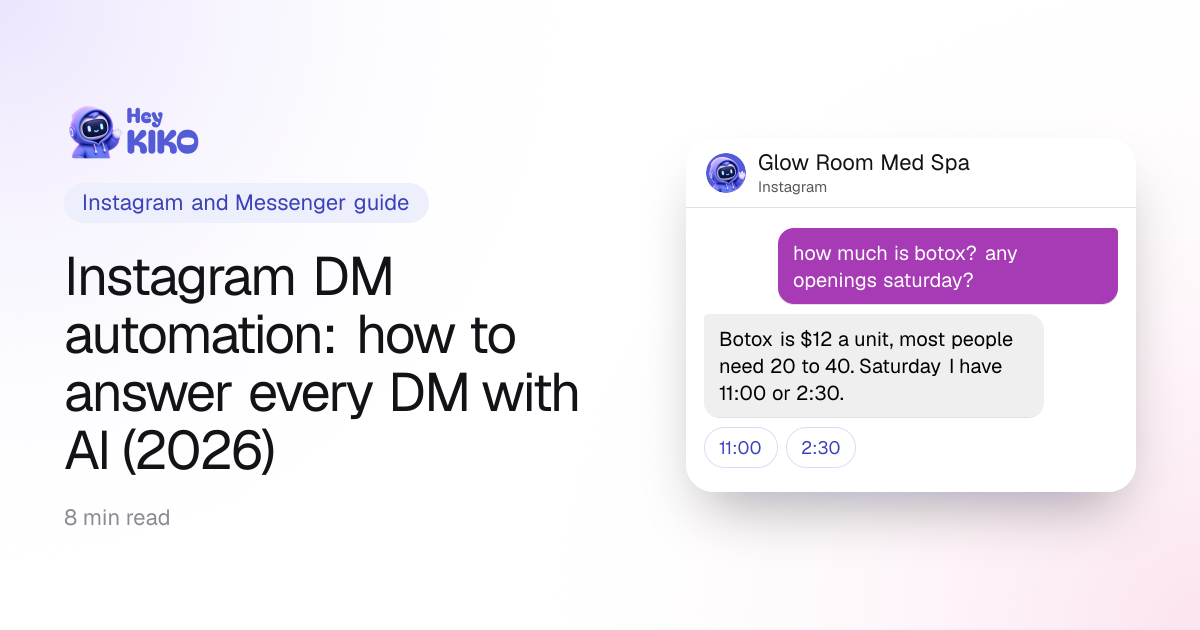
What Instagram DM automation is
When someone sees your post, reel or story and taps Message, their question lands in your Instagram inbox. DM automation answers that message for you: the price, whether you have a time on Saturday, whether the dress comes in medium, where to park.
It runs through Meta's Instagram messaging API, which lets an approved app read and reply to the DMs of an Instagram professional account. Your customers see an ordinary reply from your account in the same chat.
- It answers in seconds, at 11pm on a Sunday as well as at 11am on a Monday.
- Every chat is kept, with the customer's details, so your team can pick it up.
- It works on story replies too: a reply to your story arrives as an ordinary DM.
Keyword flows vs an AI agent
There are two ways to automate DMs, and they suit different businesses.
| Keyword flows | AI agent trained on your content | |
|---|---|---|
| How it decides what to say | Matches a word or button to a script you wrote | Reads the question and answers from your website, files and catalogue |
| Questions you didn't plan for | Falls back to a menu or “sorry, I don't understand” | Answers if your content covers it, says so if it doesn't |
| Setup | Build and maintain each flow | Point it at your website and price list |
| Best at | Giveaways, lead magnets, fixed promotions | Real customer questions: prices, times, stock, policies |
If your DMs are mostly people typing a code word from a post, a keyword flow is fine. If they're real questions written in a dozen different ways, an AI agent answers them without you scripting every one.
What Meta allows
- Your Instagram account must be a professional account (business or creator) linked to a Facebook Page.
- In Instagram, Settings › Messages and story replies › Message controls › Connected tools › Allow access to messages must be on. With it off, no DMs reach any app, and there's no error to tell you.
- An automated reply must go within 24 hours of the customer's last message.
- A person on your team may reply for up to 7 days after it, using Meta's human agent tag, which apps need Meta's approval to use. It's for real follow-up, not promotions.
- You answer people who wrote to you. Unsolicited promotional DMs aren't what the API is for.
The full rules are in Meta's messaging policy, and the window is explained in the Messenger and Instagram 24-hour rule.
What to automate, and what to hand to a person
Let the agent answer
- Prices, packages and what's included, from your price list.
- Opening hours, location, parking and how to find you.
- Stock, sizes, colours and shipping times, from your product catalogue.
- Open appointment times, and booking the one the customer picks.
- Policies: deposits, cancellations, returns, aftercare.
Hand to your team
- Complaints, refunds and anything that needs a decision. In HeyKiko these can become cases a person approves.
- Medical, legal or money questions that need a professional's judgement.
- Anyone who asks for a person. HeyKiko hands the chat over automatically, with the whole conversation.
- Questions your content doesn't cover. The agent says it doesn't know and passes the chat on instead of guessing.
How to set it up in HeyKiko
- Step 1
Teach the agent your business
Paste your website address and upload your price list, menu or FAQs. Kiko reads them and shows what it learned.
- Step 2
Get Instagram ready
Switch to a professional account, link it to your Facebook Page, and turn on Allow access to messages.
- Step 3
Connect with Facebook
Under Channels › Instagram, click Connect with Facebook and pick your Page. The linked Instagram account is found from it; there's no token to paste.
- Step 4
Send a test DM
From a different Instagram account, message yours. The answer arrives in Instagram, and the chat shows in your shared inbox.
If messages don't arrive, the connection guide covers the usual causes, step by step.
What HeyKiko doesn't do on Instagram
So you can decide with the full picture:
- It doesn't reply to comments on your posts or reels, and doesn't send a DM when someone comments a keyword.
- It doesn't send broadcasts or promotional DMs to your followers. For campaigns, HeyKiko uses WhatsApp templates and email.
- It needs an Instagram account linked to a Facebook Page.
- It sends photos on Instagram, not PDFs, because Instagram doesn't accept files.
- Someone who messages you on Instagram and on Messenger shows as two separate chats.
What it costs
Meta doesn't charge per message for replies to Instagram DMs, unlike WhatsApp template messages. What you pay for is the software and the AI.
In HeyKiko, each AI reply uses credits from your plan. HeyKiko plans start at $29 a month, with Instagram on the plans that include it, after a 14-day free trial with no card. See pricing for which plans include it.
Sources
Checked on 19 November 2026. We make HeyKiko, which this guide uses as its example.